To provide the best experiences, we use technologies like cookies to store and/or access device information. Consenting to these technologies will allow us to process data such as browsing behaviour on this site. Not consenting or withdrawing consent should not adversely affect features and functions.
The technical storage or access is strictly necessary for the legitimate purpose of enabling the use of a specific service explicitly requested by the subscriber or user, or for the sole purpose of carrying out the transmission of a communication over an electronic communications network.
The technical storage or access is necessary for the legitimate purpose of storing preferences that are not requested by the subscriber or user.
The technical storage or access that is used exclusively for statistical purposes.
The technical storage or access that is used exclusively for anonymous statistical purposes. Without a subpoena, voluntary compliance on the part of your Internet Service Provider, or additional records from a third party, information stored or retrieved for this purpose alone cannot usually be used to identify you.
The technical storage or access is required to create user profiles to send advertising, or to track the user on a website or across several websites for similar marketing purposes.

Comments
9 responses to “Update 21: What do you think of these new designs for our desktop app?”
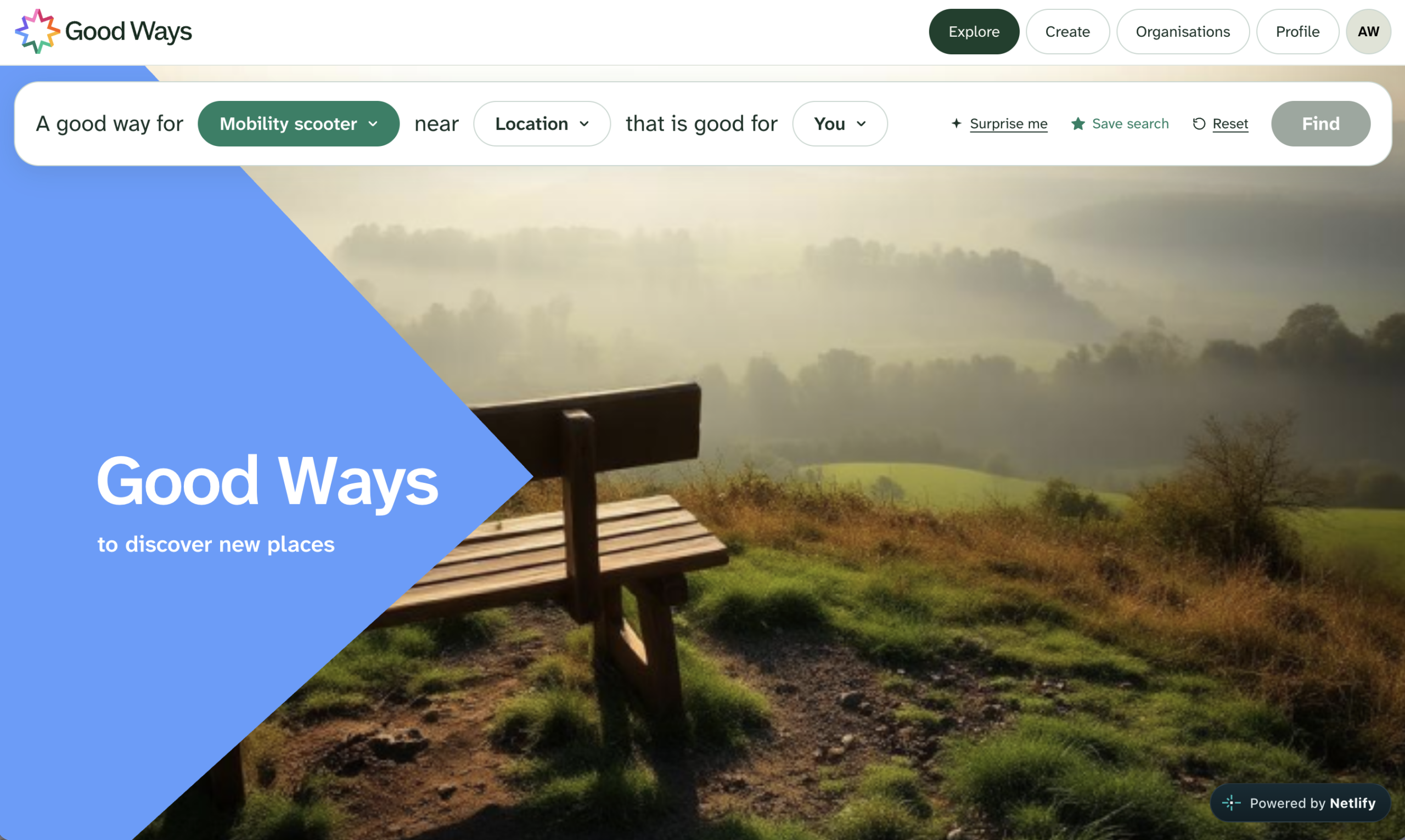
The homepage of the Desktop App is nice and simple – uncluttered and clear.
It is easy to use and know how to search for a route. Going through each step, the drop down activity box has the activities listed alphabetically, it might be easier for users if they were put in order of popularity. It is good how it then automatically goes to the next stage of choosing a location, saving the user an additional step. A few more Qualities, similar to the Places added to a route would be helpful. Also an easy way to change the distance to miles.
Being able to see the routes on a list and on the map is good. I found when selecting a route on the map view that the pop-up route box often then covers over the selected route on the map.
The Add a Place function will be very useful, with more options and an ability to search via this too e.g. routes with a café or play area nearby.
Hi Caroline,
Thank you so much for the feedback – we’ll take this into account when we implement the new designs over the next couple of weeks. Things like ordering activities by popularity is a really good idea.
We’re hoping to let members suggest new tags and place types for the platform, but we need to figure out how to avoid one huge list that makes it hard to find what you’re looking for. We have some ideas that I’ll share as soon as we’ve fleshed them out more.
I’ve personally found that clicking on a route does often lead to the popup box appearing off screen, but I’ve instinctively just scrolled the map to bring it in view so I hadn’t clocked it as a problem. It’s such a good point that it also covers the map! We’ll explore surfacing information like this in a sidebar instead of a popup: I feel that will make the whole map cleaner and easier to use anyway!
Thank you again for taking the time!
Can you add railwalk or rail station as one of the qualities?
Glad I found the comments box. The OSM for around here (and maybe other urban areas) is a bit out of date. Some of the footpaths have been closed off.
More importantly, I could not mark up the area on Rotherhithe beach (in the Thames at low tide), which is fine for sitting on, for dog walking etc. The PLA has put up a note banning fires. I could mark up a point, but not the full area.
Hello!
Thank you for taking the time to leave us some feedback – these designs are just a prototype to showcase what it could look like. Sorry that it’s showing out of date data and that you can’t mark up the beach: you should be able to in the real app at https://app.goodways.org!
We’ll make sure, when we implement these designs, to keep it possible to mark up an area as well as a point.
Do you feel, functionality aside, the designs make the website cleaner and easier to use? Is there anything you feel doesn’t make sense?
Dan, is it right that the only route I can see on the live map is the Slow Ways National Parks trail?
I do like the look and feel of the new design. It’s really coming along. Can’t wait.
Thanks for asking Alison. It’s the easiest to see!
Zoom in and browse the map to find some more.
An upcoming big challenge will be to fill the map with thousands of routes >
https://goodways.org/2026/09/22/update-20-join-our-first-major-campaign-before-weve-even-launched-it/
If there are not any near you, please do add one!
My first comment is that you need a better image than this misty gloomy photo. Also one that shows paths. I tried to search a route near my location, no luck, then Dunfermline, then Dunfermline, Fife, then Scotland, and no results. So my comment is that it is definitely too Anglicised, and not sure how folk in Wales get on.
Hi Fiona, thanks very much for taking a look and for the comments.
It’s just a prototype and none of the content is actually real. I should have made that clear.
I live in Devon – there’s nothing for me there either and I totally agree on that photo!
The current desktop app is ready and waiting for lots of real local content https://app.goodways.org/map
We would really appreciate your thoughts on how easy it is to navigate the pages, even if the content on them is not correct.
Thanks again.